Quote:
Originally Posted by RchW

Are you sure? I'd like to do this but I found that my set rosters lineups/rotations reverted to AI preferences on the team not in my control any time I finished a day.
I'd love to be wrong on this.
|
been a long time since i did this, but as i recall if you have GM in control of rosters/ setting line-ups - then it should work. i only did it for a few games, and it was on 16 as a test to do a couple of strange trades .... i don't recall if i played more than a game or two before i reverted back to one GM. i was both GM/Manager when i tried it, but as i said .... a while back.
But the handy manual .... which may or may not be up to date says:
"Select Human ManagerAlthough OOTP games can have many human managers, only one manager identity can be 'logged in' at any given time. To change the currently logged in manager, use the
Select Human Manager option (Manager Menu >> Advanced section >> Select Human Manager):
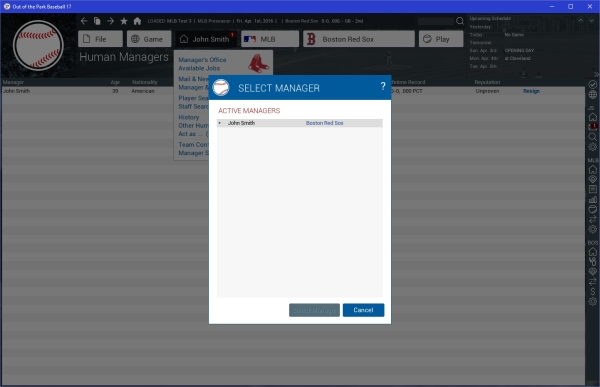
To switch
human managers, click on the manager you want to use, and click
Select Manager. There is a
section of the online manual that talks about OOTP's manager model in detail.
If you are not sure which human manager is logged in, you can look at the Manager menu, or by going to the
Manager Home Screen.
Note: If you are playing a game with multiple human managers, remember that if time advances for one manager, it advances for the others as well. Make sure you have made any necessary changes to all managers before proceeding. When you have multiple manager identities in a game, it's a good idea to password protect your manager identities to avoid mistakes. This can be done from the Manager Options page.