Quote:
Originally Posted by Markus Heinsohn

|
Markus and Sebastian:
I managed to fail out my latest attempt on
Step 52 (Clicking Home in the middle of a "Finish This Week" Simulation from the Manager Home screen, Fast Switching through background apps, back to iOOTP, tapping Continue Game), so it seems to be a repeatable occurrence. Now I -can't- tell you for sure if the previous 50 steps were contributing factors... Sorry if you have to go through it all.

I got into iPhone Explorer, and got this screenshot from the "Game 1.lg" folder:
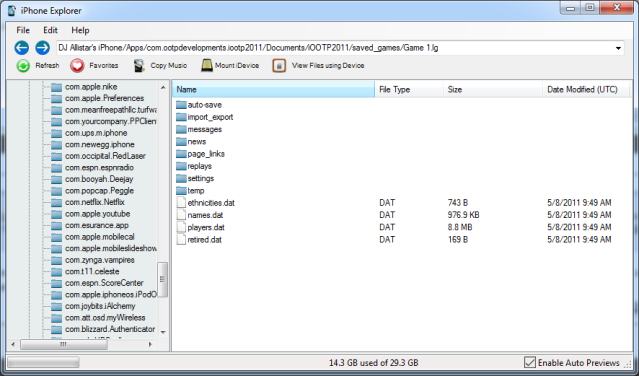
Seems to my untrained eye (just from the behavior and the "when it happened") that there might be a save-state issue when the app goes background and the database is "open" (being read from / written to) due to the ongoing simulation. Perhaps it's an issue with the app choking when trying to save to an open database?
I do have a .zip file of my whole "saved_games" folder (which just includes the Game 1.lg folder, and the saved_games.dat file), and will be sending it along from my Hotmail account shortly.
Hope this helps track things down!